01 · Ask Ops
Ask it. It gets to work.
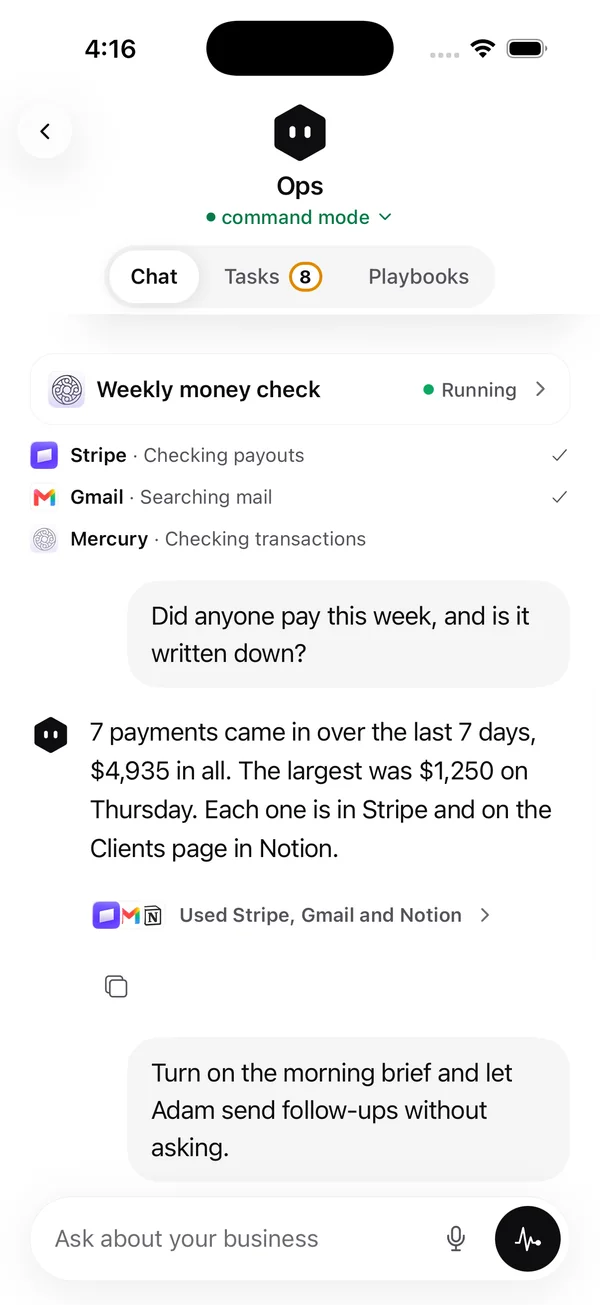
Ask Ops is a chat with hands. It reads your brain, uses the tools you connected, and shows every step with the logo of the tool it used.
Highseat by SyX Solutions
Ask it anything about your business. It uses your tools, asks before anything that matters, and keeps its memory in plain Markdown. Bring any model.
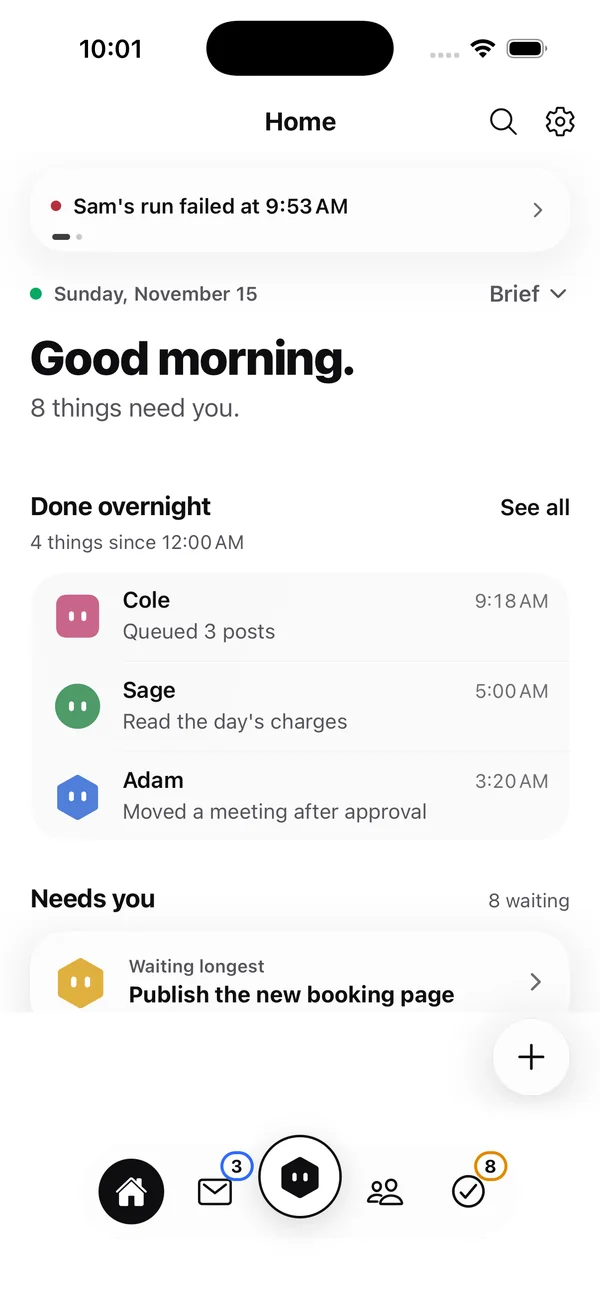
Example data. Names and numbers are illustrative.
A private Claude Code for the whole business. Tools, files, Markdown memory and permission modes, on any model you choose.
How it works
01 · Ask Ops
Ask Ops is a chat with hands. It reads your brain, uses the tools you connected, and shows every step with the logo of the tool it used.
02 · Needs you
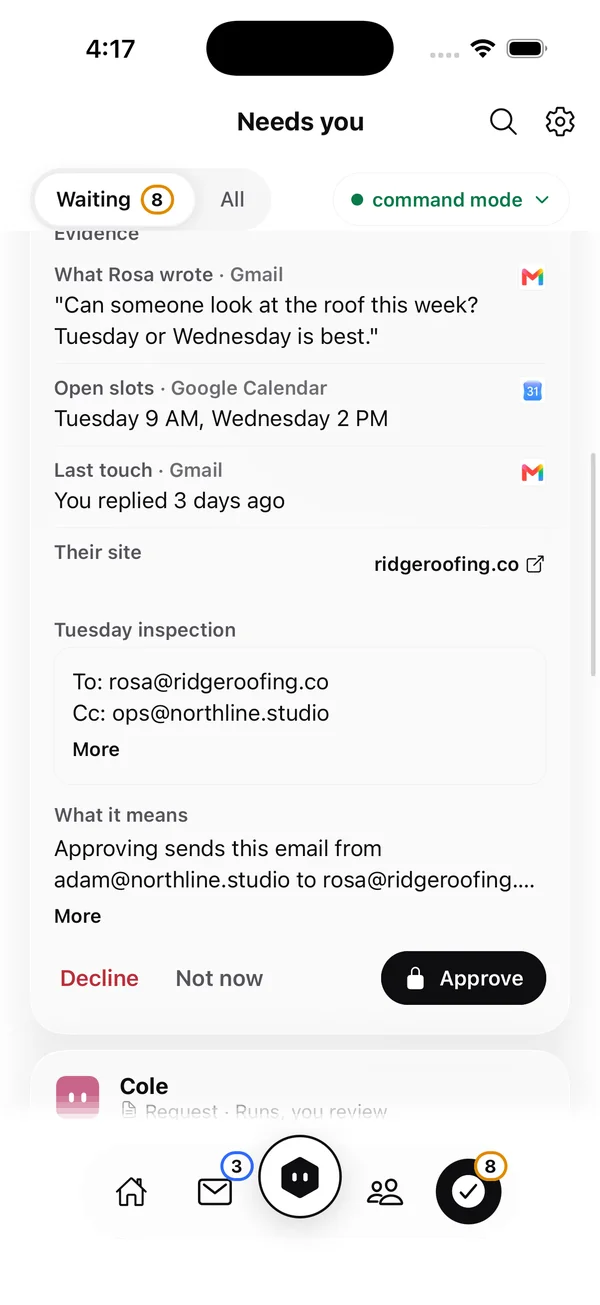
Every request lands as a card with what it found, the evidence, a draft, the impact and your options. Spend, deploys and client email wait for Face ID on your iPhone.
03 · Permission modes
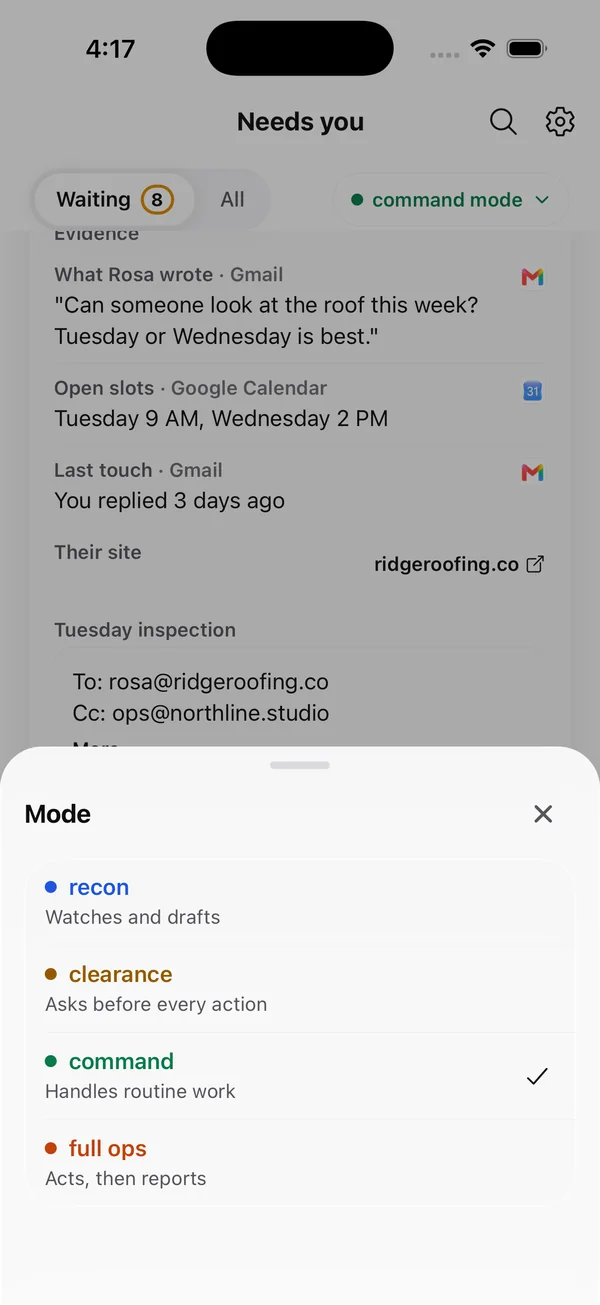
Four modes, set for the whole company, one AI employee, or one kind of action: recon, clearance, command and full ops.
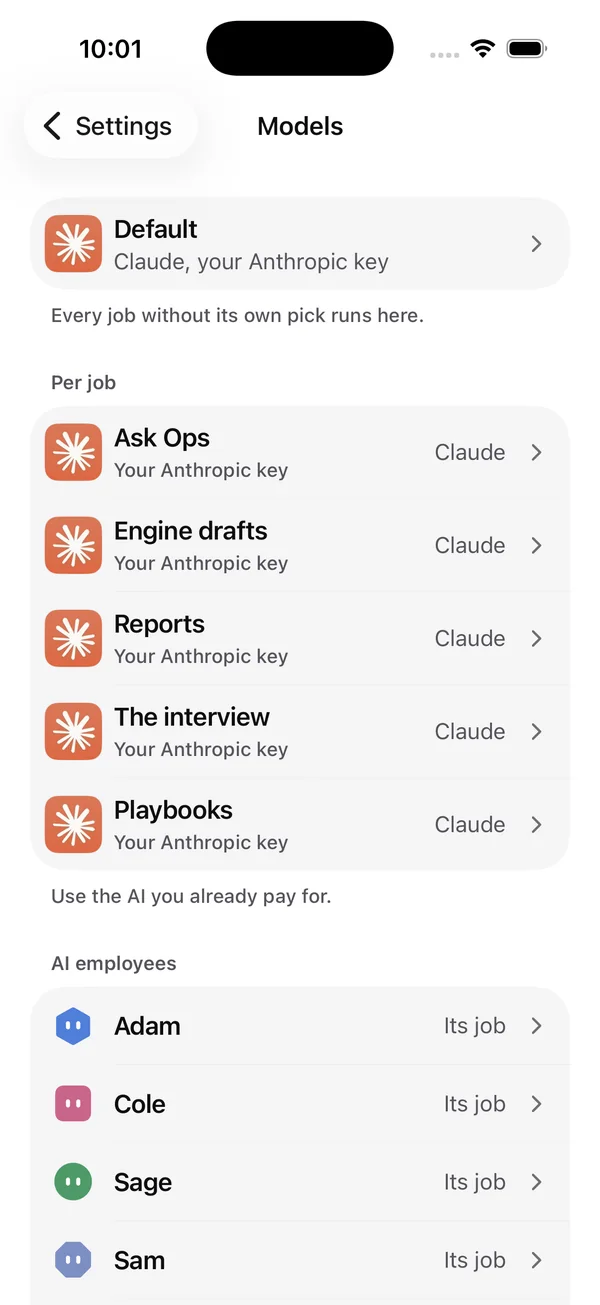
04 · Any model
Pick a model for each job. Use your own key with 14 hosted providers, Amazon Bedrock or Azure OpenAI, or run on your own Claude subscription.
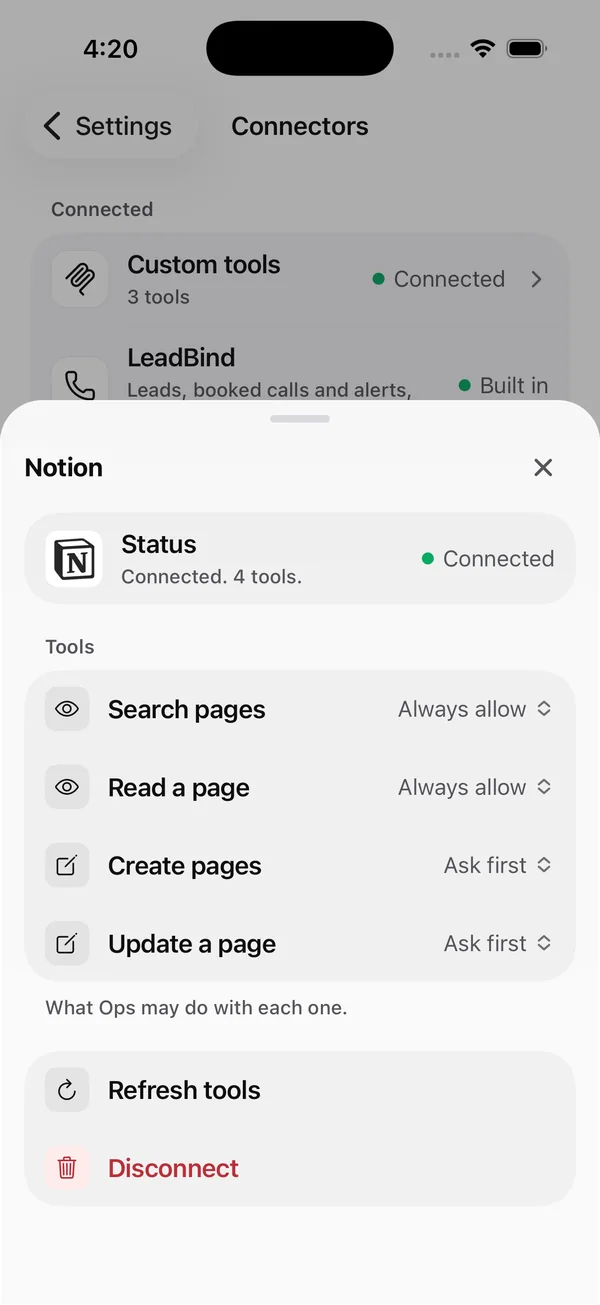
05 · Connectors
28 ready-made connectors with one-tap sign-in, plus any remote MCP server by address. For every tool you choose: always allow, ask first, or never.
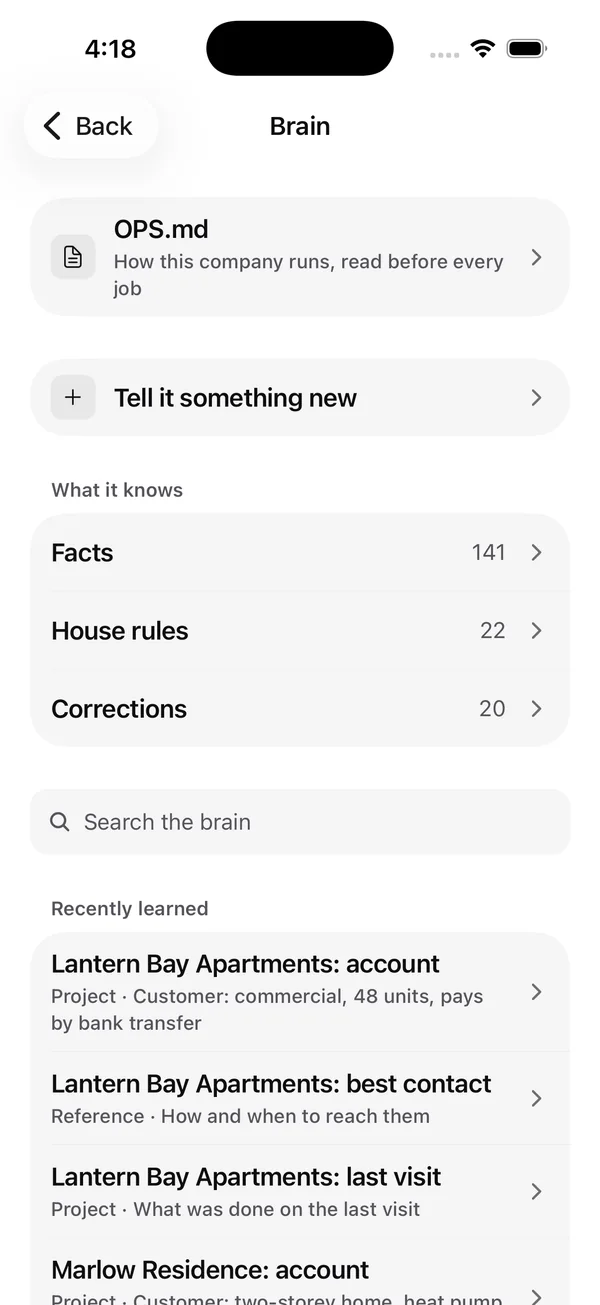
06 · The brain
OPS.md is the one document every AI employee reads before a job. Facts, house rules and corrections sit beside it. You can read all of it and change it.
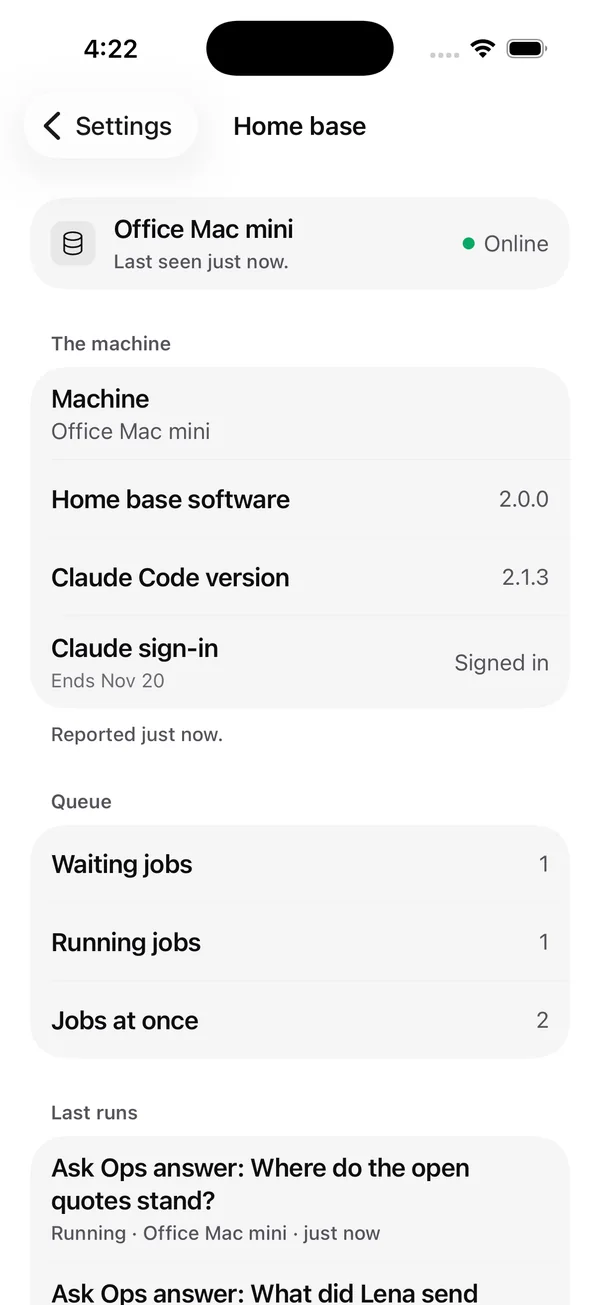
07 · Home base
Your home base is a Mac or a VPS that does the work. The app is the control room: see it online, see what is running, add a machine or revoke one.
Any model
Bring a key for the provider you like and pick it per job, or per AI employee. Change your mind later and nothing else has to move.
Keys are sealed per workspace and only the last four characters are ever shown. A key is tested before it shows as connected.
Use it from your assistant
The app has setup steps for 12 assistants, so the AI you already use can work with your workspace.
Setup steps come from each vendor documentation. Sign in uses OAuth, or a personal token from Settings.
Your workspace address
https://ops.syx.solutions/api/mcp
Claude Code, for example: claude mcp add --transport http highseat https://ops.syx.solutions/api/mcp
Hard gates
These hold in every permission mode, full ops included.
Private beta
Tell us where to reach you and what you would run with it. We write back with next steps.
Already invited? Sign in.